- Programming your thermostat to set back 7-10F for 8 hours daily saves up to 10% on annual heating and cooling costs, or roughly $100-$150 for the average household [1].
- The DOE recommends 68F when home in winter (set back to 58-62F when away) and 78F when home in summer (set up to 85F when away) for optimal savings [1].
- ENERGY STAR certified smart thermostats deliver average savings of 8% on heating and cooling bills through automated scheduling and occupancy sensing [2].
- Heat pump owners should avoid deep temperature setbacks, since the backup electric resistance heat used during recovery costs significantly more than steady-state operation [1].
- Programming a 4-period daily schedule (wake, leave, return, sleep) on any thermostat type takes under 10 minutes and pays for itself within the first billing cycle [3].

Get quotes from top-rated pros.
Heating and cooling accounts for roughly 43% of total energy use in the average American home, making it the single largest utility expense [1]. For a household spending $2,400 per year on energy, that means more than $1,000 goes toward keeping indoor temperatures comfortable. The gap between a properly programmed thermostat and one left on a single temperature all day can mean $150 to $300 in annual savings, and those savings repeat every year.
Despite the potential, the Department of Energy estimates that fewer than half of programmable thermostat owners actually use the scheduling features [1]. Many homeowners buy a programmable or smart thermostat, then operate it manually because the programming process seems complicated. It is not. Whether you have a basic 7-day programmable model, a Honeywell T6 Pro, a Google Nest, or an Ecobee Premium, the core logic is identical: tell the thermostat what temperature you want and when you want it.
This guide covers step-by-step programming for every major thermostat type and brand, with recommended temperature schedules backed by DOE data. For broader HVAC maintenance and troubleshooting guidance, visit the NearbyHunt HVAC How To and DIY guide.
Daniel Torres, a Certified HVAC Technician and Energy Efficiency Consultant with EPA 608, NATE, and HVAC Excellence certifications and 14 years of experience in Minneapolis, contributed the expert insights throughout this guide. Christine Walters, an Expert Reviewer with EPA 608, NATE, OSHA 10-Hour, and R-410A Safety certifications and 17 years of experience in Kansas City, verified all technical content for accuracy.
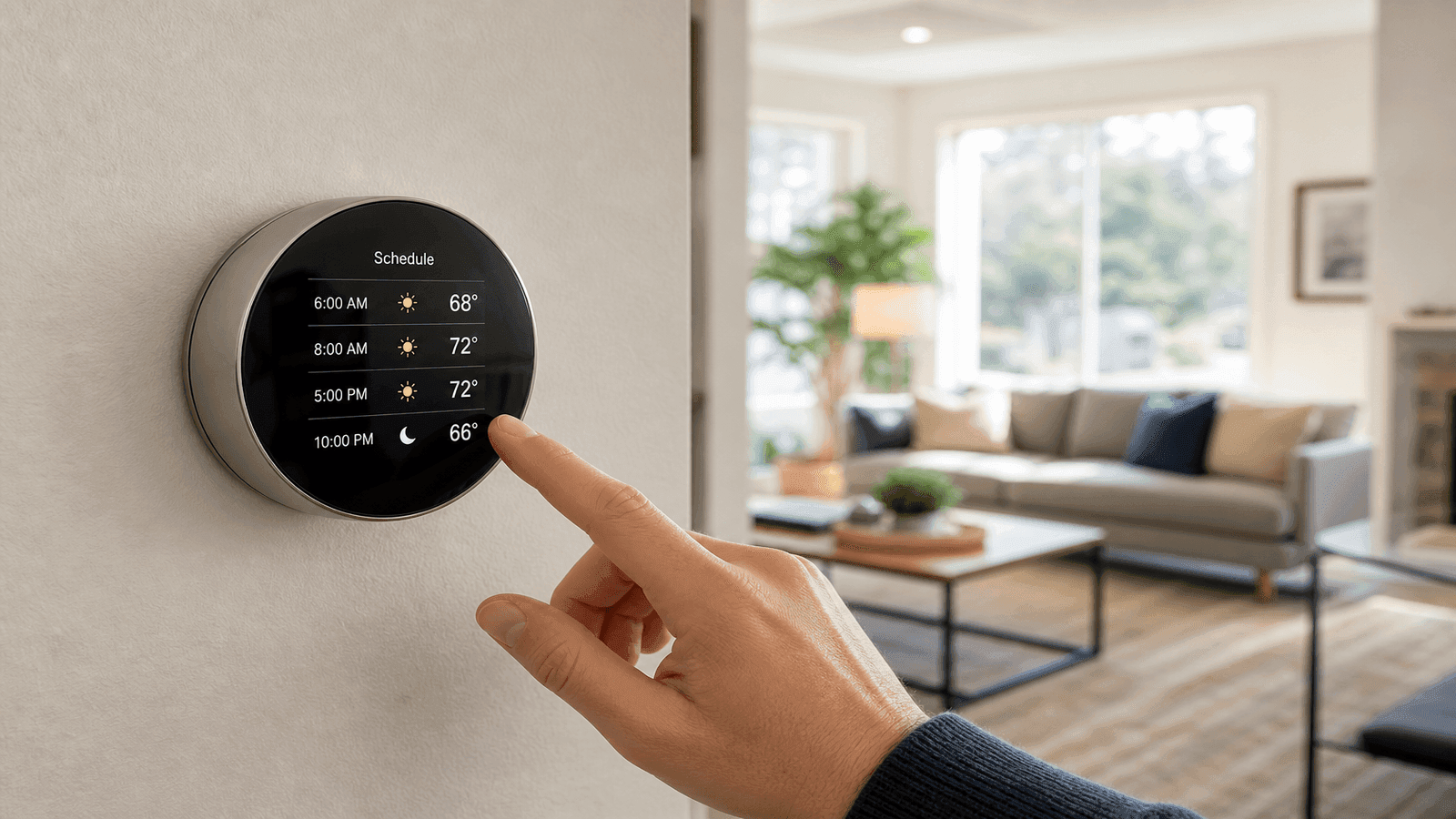
Photo: Homeowner programming a modern smart thermostat mounted on a living room wall with temperature schedule displayed
Types of Thermostats
Before programming, you need to identify which type of thermostat you have. Each category handles scheduling differently.
Manual Thermostats
Manual thermostats use a simple dial or slider with no scheduling capability. You adjust the temperature by hand each time you want a change. If you still have a manual thermostat, upgrading to a programmable model ($30-$100) is one of the highest-ROI home improvements available. The DOE estimates that upgrading from manual to programmable saves 10-15% on heating and cooling costs when the schedule is used consistently [1].
Programmable Thermostats
Programmable thermostats allow you to set temperature schedules that repeat automatically. They come in several configurations:
| Type | Schedule Options | Best For |
| 7-day | Different schedule each day | Irregular weekly routines |
| 5+2 | One weekday schedule, one weekend | Standard work schedules |
| 5-1-1 | Weekday, Saturday, Sunday | Weekend flexibility |
| 1-week | Same schedule every day | Consistent daily routines |
Most programmable models support 4 time periods per day: Wake, Leave, Return, and Sleep. That 4-period structure forms the foundation of effective thermostat programming regardless of brand.
Smart Thermostats
Smart thermostats connect to Wi-Fi and offer app-based control, learning algorithms, and occupancy sensing. ENERGY STAR certified smart thermostats save an average of 8% on heating and cooling bills based on independently verified field data [2]. Popular models include the Google Nest Learning Thermostat, Ecobee Smart Thermostat Premium, and Honeywell Home T9.
Smart thermostats cost $150-$300 compared to $30-$100 for programmable models. Many utility companies offer rebates of $50-$100 for ENERGY STAR certified smart thermostat installation, reducing the effective cost significantly [2].
The thermostat type matters less than whether you actually use the schedule. I have seen $250 smart thermostats running in manual mode and $40 programmable units saving homeowners $200 per year because they took 10 minutes to set the schedule. The technology only works if you program it.
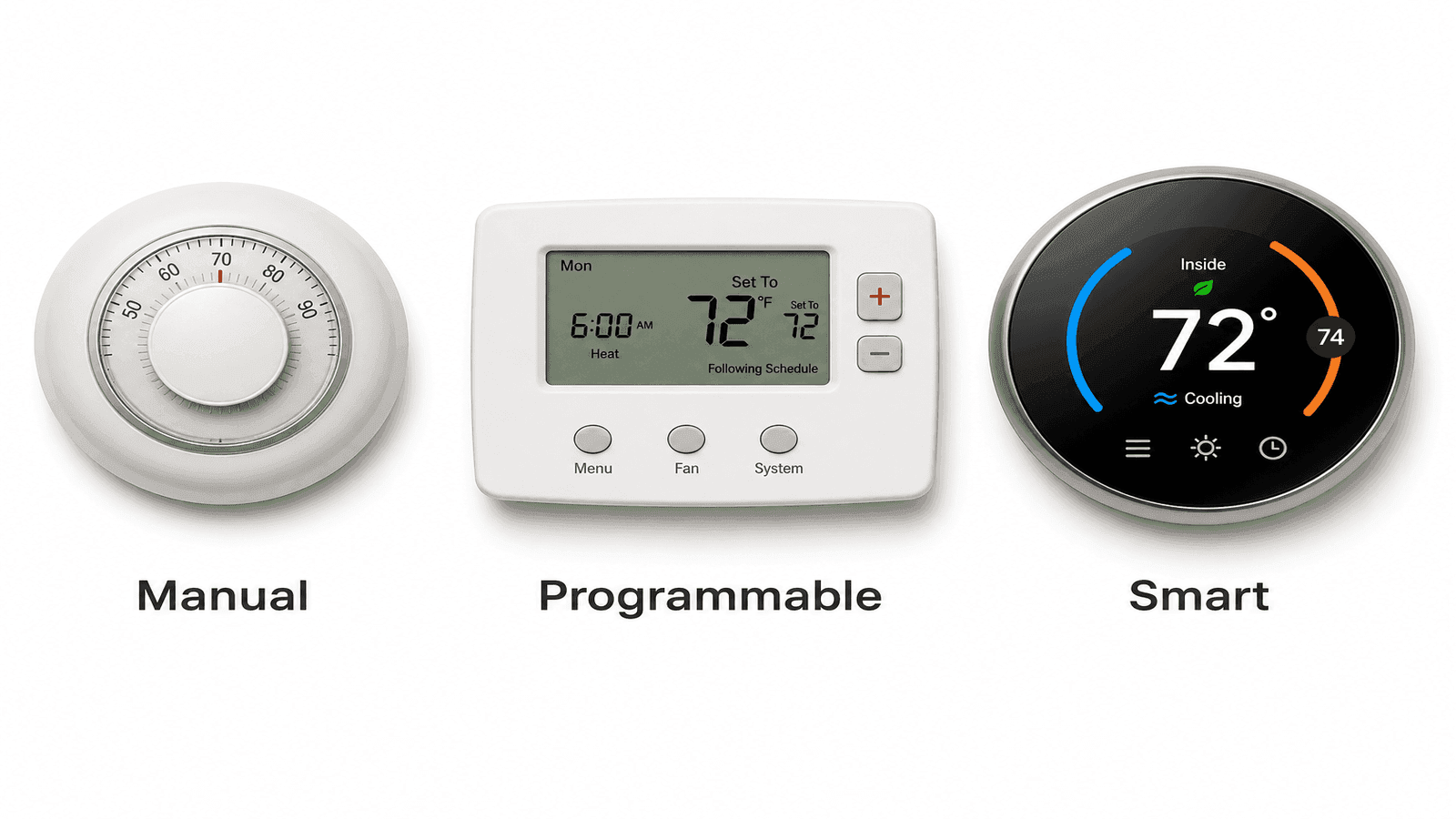
Photo: Comparison of three thermostat types side by side showing manual dial, programmable digital, and smart thermostat with app
DOE Recommended Temperature Schedule
The Department of Energy provides specific temperature recommendations for maximum energy savings without sacrificing comfort [1]. These settings form the baseline for programming any thermostat.
Get quotes from top-rated pros.
Winter Schedule (Heating Season)
| Time Period | When | Temperature | Notes |
| Wake | 6:00 AM | 68F | Comfortable for morning routine |
| Leave | 8:00 AM | 58-62F | Setback while away at work |
| Return | 5:30 PM | 68F | Pre-heats before arrival |
| Sleep | 10:00 PM | 60-62F | Lower for better sleep quality |
Summer Schedule (Cooling Season)
| Time Period | When | Temperature | Notes |
| Wake | 6:00 AM | 78F | Efficient while home |
| Leave | 8:00 AM | 85F | Setup while away at work |
| Return | 5:30 PM | 78F | Pre-cools before arrival |
| Sleep | 10:00 PM | 82F | Slightly warmer with ceiling fan |
Weekend Adjustments: On weekends, shift the Wake period to 8:00 AM if the household sleeps later. Keep the same temperatures but adjust timing to match actual occupancy patterns.
The 7-10F Rule
The DOE's core guideline is straightforward: setting your thermostat back 7-10F from your normal setting for 8 hours per day saves approximately 10% on annual heating and cooling costs [1]. The percentage of savings is greater in milder climates and slightly lower in extreme climates, but the principle holds across all U.S. climate zones.
For the average U.S. household spending $1,000-$1,200 per year on heating and cooling, that translates to $100-$150 in annual savings from programming alone.
Programming by Brand
Honeywell Home Thermostats
Honeywell produces the widest range of programmable thermostats in the U.S. market. Programming steps vary by model series but follow a consistent pattern.
Honeywell T6 Pro (TH6220U/TH6320U):
- Press the Menu button on the main screen
- Select Schedule
- Choose the day of the week to program
- Select the time period (Wake, Away, Home, Sleep)
- Use the up/down arrows to set the desired temperature
- Press Done to save
- Repeat for each time period and day
Honeywell Pro Series (T4/T6):
- Press Set until the schedule indicator appears
- Press Day to select the day
- Press Set to choose the time period
- Use arrows to adjust time, then press Set
- Use arrows to adjust temperature, then press Set
- Repeat for all periods
Tip: Honeywell models with a "Hold" button override the schedule temporarily. Press "Run Schedule" or "Cancel Hold" to return to programmed operation. Accidentally hitting "Hold" is the most common reason homeowners think their schedule stopped working.
Google Nest Thermostat
The Nest Learning Thermostat and Nest Thermostat use different programming approaches.
Nest Learning Thermostat (3rd/4th Gen):
- Open the Google Home app on your phone
- Select your thermostat device
- Tap Settings (gear icon)
- Select Temperature Schedule
- Tap any day to add or edit temperature points
- Drag temperature points to adjust time and temperature
- The schedule auto-saves
Alternatively, on the thermostat itself: turn the ring to Settings > Schedule, then rotate and press to add temperature points throughout the day.
Nest Thermostat (budget model):
The standard Nest Thermostat uses "Temperature Preferences" in the Google Home app instead of a traditional schedule. Set your preferred temperature range and enable Home/Away Assist to let the thermostat adjust automatically based on occupancy detection.
Ecobee Smart Thermostats
Ecobee uses a "Comfort Settings" system that pairs activity types with temperature preferences [4].
Ecobee Premium/Enhanced/Smart Thermostat:
- On the thermostat, tap Menu
- Tap Schedule
- Select the day you want to adjust
- Tap the activity block you want to change (Home, Away, Sleep)
- Adjust the start time
- Tap Save
Setting Comfort Temperatures:
- Tap Menu > Comfort Settings
- Select the comfort setting to customize (Home, Away, Sleep)
- Adjust the heating and cooling temperatures
- Tap Save
Ecobee's room sensors allow the thermostat to read temperatures in multiple rooms rather than just the hallway where the thermostat is mounted. Place sensors in the rooms you use most during each time period for the most accurate comfort control.
Get quotes from top-rated pros.
Basic Digital Programmable Thermostats
For budget models without brand-specific apps (Emerson, White-Rodgers, Lux, generic brands), programming follows a universal pattern:
- Press the Program or Set button to enter scheduling mode
- Select the day or day group (Mon-Fri, Sat, Sun)
- Select the time period (Period 1/Wake, Period 2/Leave, Period 3/Return, Period 4/Sleep)
- Set the start time using up/down arrows
- Set the target temperature using up/down arrows
- Press Program or Set again to advance to the next period
- Press Run or Done to exit and activate the schedule
The number one mistake I see with basic programmable thermostats is setting the Return temperature too early. If you get home at 5:30 PM, set the Return period for 5:00 PM so the house reaches your target temperature by the time you walk in. Most systems need 15-30 minutes of lead time depending on the setback depth and outdoor conditions.
Heat Pump Programming
Heat pumps require different programming strategies than furnace-and-AC systems. The DOE specifically notes that standard setback programming is generally not recommended for conventional heat pumps because the recovery period activates expensive backup electric resistance heating [1].
Why Heat Pumps Are Different
When a standard heat pump recovers from a deep setback (more than 2-3F), the system often cannot reach the target temperature fast enough using the heat pump alone. The thermostat activates auxiliary electric resistance heat strips, which consume 2-3 times more energy per BTU than the heat pump. A 10F setback that saves money with a gas furnace can actually increase costs with a heat pump.
Recommended Heat Pump Settings
- Limit setbacks to 2-3F maximum instead of the 7-10F recommended for furnaces
- Use a smart thermostat with "Heat Pump Balance" or similar adaptive recovery features
- Enable "Compressor Lockout" settings to prevent auxiliary heat activation during mild recovery periods
- Consider the Nest "Heat Pump Balance" setting or Ecobee "Aux Heat Max Outdoor Temp" threshold
Inverter Heat Pumps
Variable-speed (inverter) heat pumps handle setbacks better than single-stage models because they ramp up gradually without triggering resistance backup heat. If you have a newer inverter heat pump (Mitsubishi, Daikin, Carrier Infinity, Lennox XP25), you can use moderate setbacks of 4-5F safely. Check your system documentation or ask your installer about setback compatibility.
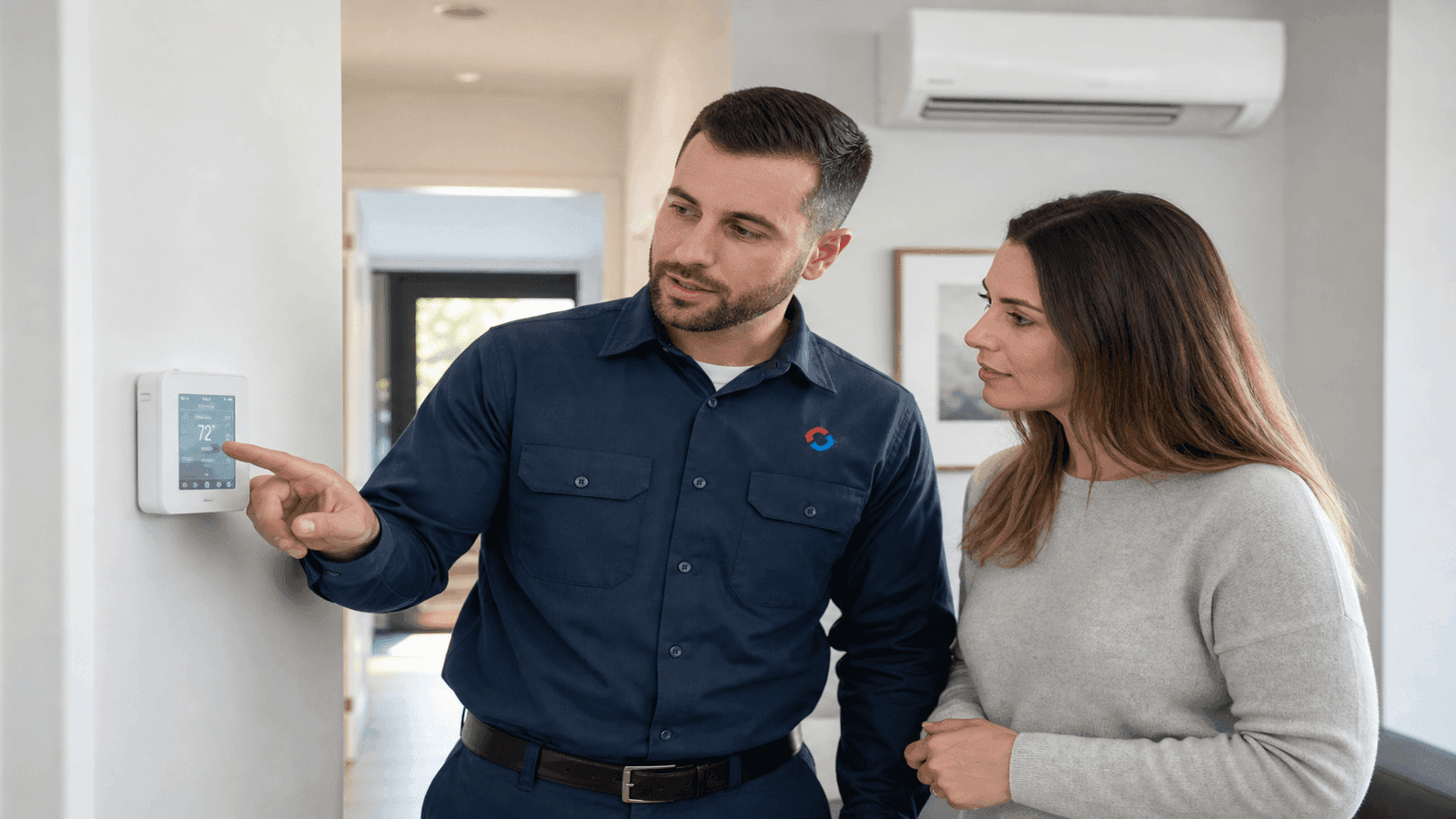
Photo: HVAC technician explaining thermostat settings to a homeowner next to a wall-mounted heat pump thermostat
Optimizing Your Schedule
Seasonal Adjustments
Your thermostat schedule should change at least twice per year as heating and cooling seasons shift.
Spring/Fall Transition: During mild shoulder seasons (outdoor temperatures 55-75F), widen your temperature range. Set heating to 65F and cooling to 80F. Many days the system will not run at all, saving significant energy.
Extreme Cold (below 0F): In severe winter climates, reduce the setback depth to 5-6F instead of 10F. Recovery takes longer in extreme cold, and the energy cost of recovery can offset setback savings if the gap is too large.
Extreme Heat (above 100F): In intense summer heat, reduce the setup from 85F to 82F when away. A house that reaches 90F+ internally takes substantial energy to cool back down, potentially negating the savings.
Vacation and Extended Absence
When leaving home for multiple days:
- Winter: Set the thermostat to 55-58F to prevent pipe freezing while saving energy
- Summer: Set to 85-88F to prevent excessive humidity without wasting energy on cooling an empty home
- Many smart thermostats have a dedicated "Vacation" mode that optimizes settings automatically
Using Fan Settings
The fan setting affects both comfort and efficiency:
- Auto: Fan runs only when heating or cooling is active. Most efficient option.
- On: Fan runs continuously. Improves air circulation but adds $15-$25/month in electricity costs. Use only if you have significant hot/cold spots between rooms.
- Circulate: Available on some models. Runs the fan 15-20 minutes per hour for air mixing without running continuously.
Get quotes from top-rated pros.
Case Study: The Nguyen Family's $1,860 in Savings
The Nguyen family of St. Paul, Minnesota, contacted Daniel through NearbyHunt in October 2025 after noticing their heating bills had climbed to $380/month the previous winter despite having a 3-year-old 96% AFUE furnace.
Daniel's inspection found no equipment issues. The problem was thermostat usage. The Nguyens had a Honeywell T6 Pro programmable thermostat set to a constant 72F, 24 hours a day. Both adults worked outside the home from 8 AM to 5:30 PM on weekdays, and the house was empty for roughly 47 hours per week.
Daniel programmed the thermostat to the DOE-recommended schedule: 68F during occupied hours, 60F during the 9.5-hour workday window, and 62F overnight. He also adjusted the fan from "On" (running continuously) to "Auto."
The results after one full heating season: average monthly heating costs dropped from $380 to $225, a 41% reduction. Over the full October-through-April heating season, the Nguyens saved $1,085. Adding summer cooling savings from a similar schedule adjustment, the projected annual savings exceeded $1,400. Over three years, that adds up to more than $4,200 in savings from a 10-minute programming session.
NearbyHunt Network Insight
Data from HVAC professionals in the NearbyHunt network reveals common thermostat-related patterns across service areas:
| Thermostat Issue | % of Related Calls | Typical Resolution |
| Schedule not programmed (manual override) | 34% | Programming walkthrough |
| Wrong thermostat type for system | 18% | Thermostat replacement ($150-$400) |
| Heat pump with deep setback causing high bills | 15% | Schedule adjustment |
| Wi-Fi thermostat connectivity issues | 14% | Network troubleshooting |
| Battery-related failures | 11% | Battery replacement |
| Wiring incompatibility after upgrade | 8% | Rewiring or C-wire adapter ($50-$200) |
NearbyHunt network technicians report that 34% of thermostat-related service calls involve homeowners who never programmed a schedule on their programmable or smart thermostat. In most cases, the fix takes less than 15 minutes and costs nothing beyond the service call.
Troubleshooting Common Issues
Schedule Not Running
If your programmed schedule is not activating:
- Check for an active "Hold" or "Temporary Hold" that overrides the schedule
- Verify the thermostat clock shows the correct day and time (battery changes can reset the clock)
- Confirm the system mode matches the season (Heat for winter, Cool for summer, Auto for transitional periods)
- On smart thermostats, check that the schedule is enabled in the app (some models default to learning mode rather than set schedules)
Temperature Not Reaching Target
If the system runs but does not reach the programmed temperature:
- Allow 15-30 minutes for the system to reach target after a setback period
- Check the air filter (a dirty filter reduces heating and cooling capacity by 5-15%) [5]
- Verify that supply and return vents are open and unobstructed
- In extreme weather, the system may not overcome a deep setback efficiently. Reduce setback depth by 2-3F.
High Bills Despite Programming
If energy bills remain high after programming:
- Verify the schedule is actually running (check for permanent holds)
- Ensure setback temperatures are deep enough (at least 7F from occupied setting)
- Check that the fan is set to "Auto" rather than "On"
- Inspect ductwork for leaks. The DOE estimates that typical duct systems lose 25-40% of conditioned air through leaks [5]. No thermostat schedule can overcome major duct leakage.
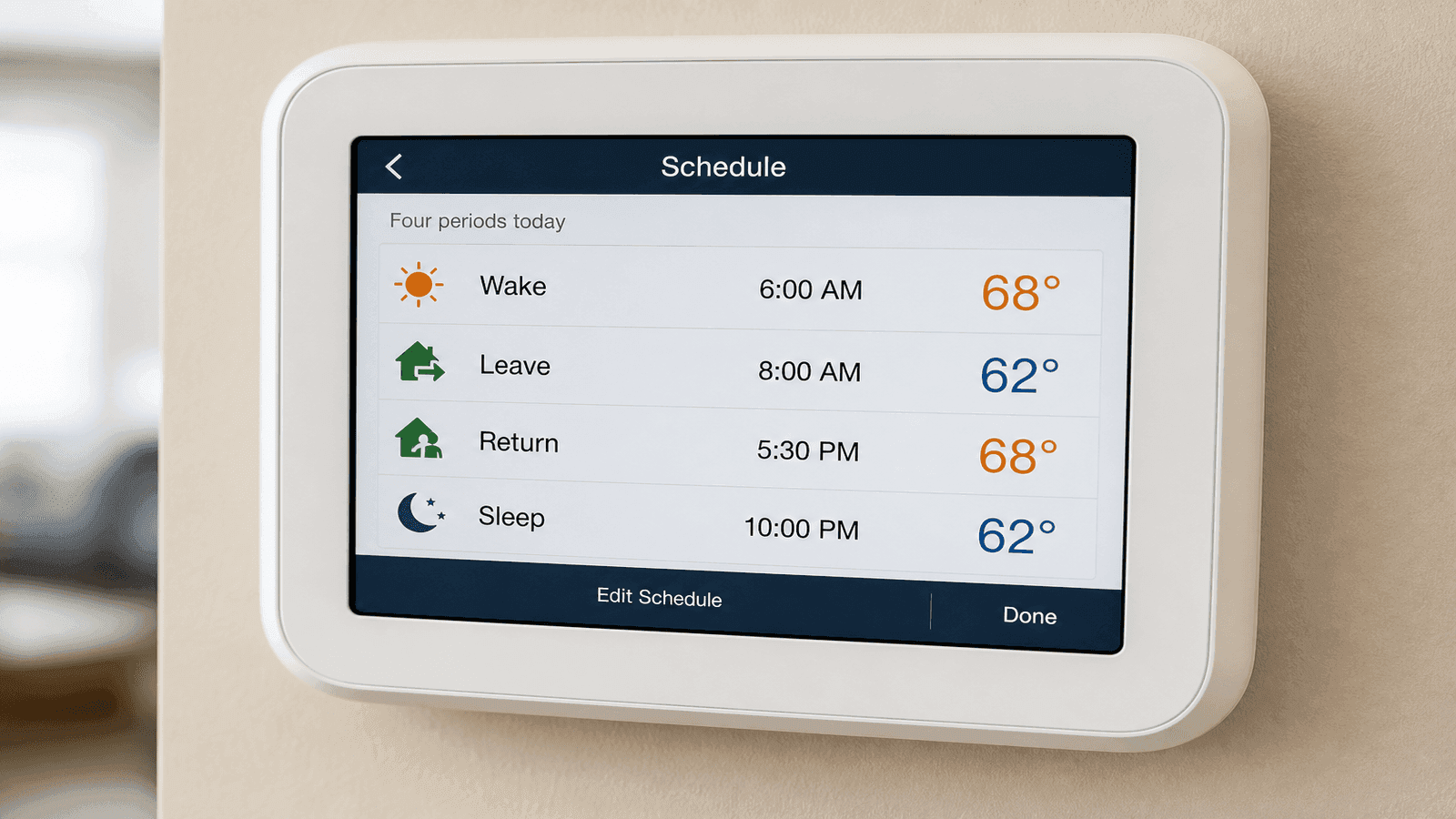
Photo: Closeup of a digital programmable thermostat screen showing a 4-period daily schedule with temperature settings
Find HVAC Professionals on NearbyHunt
If your thermostat needs replacement, your schedule is not delivering expected savings, or you want a professional to optimize your system settings, NearbyHunt connects you with licensed HVAC technicians who hold EPA 608 and NATE certifications. Get multiple quotes, compare verified reviews, and book service through one platform.
Sources and References
[1] U.S. Department of Energy. "Programmable Thermostats."
[2] ENERGY STAR. "Smart Thermostats."
[3] U.S. Department of Energy. "Program Your Thermostat for Automatic Savings."
[4] Ecobee. "How Do I Program a Schedule for the Ecobee Thermostat."
[5] U.S. Department of Energy. "Energy Saver: Heating and Cooling."
[6] ASHRAE. "ASHRAE Guideline 36: High-Performance Sequences of Operation."
Disclaimer: Thermostat programming effectiveness varies based on home insulation, HVAC system type, local climate, and occupancy patterns. The savings estimates cited are based on DOE national averages and may not reflect your specific situation. Heat pump systems require different setback strategies than furnace systems. Always consult your HVAC system documentation or a licensed technician before making significant changes to thermostat settings. This article is for informational purposes only and does not constitute professional HVAC advice for your specific situation.

Daniel is an EPA-certified HVAC technician & Energy Efficiency Consultant with over 14 years of experience in maintaining and installing heating and cooling systems throughout the Midwest. Passionate about sustainability, Dan specialises in energy-efficient retrofits and intelligent climate control systems. He writes for NearbyHunt to help homeowners extend the lifespan of their HVAC units while lowering utility bills.

Christine is an EPA-certified HVAC professional with 17 years of experience in heating, cooling, and indoor air quality systems. She has managed large-scale residential installations and worked as a technical trainer for new HVAC apprentices. Chris’s reviews focus on accuracy, safety, and performance standards in modern HVAC practices.